
The schedule ends on screen, not on paper.
orariPunetoreve.al builds the roster, measures attendance with a punch clock and totals the hours automatically — so you stop opening Excel to add them up by hand.
14 days free · no credit card · built for Albanian teams
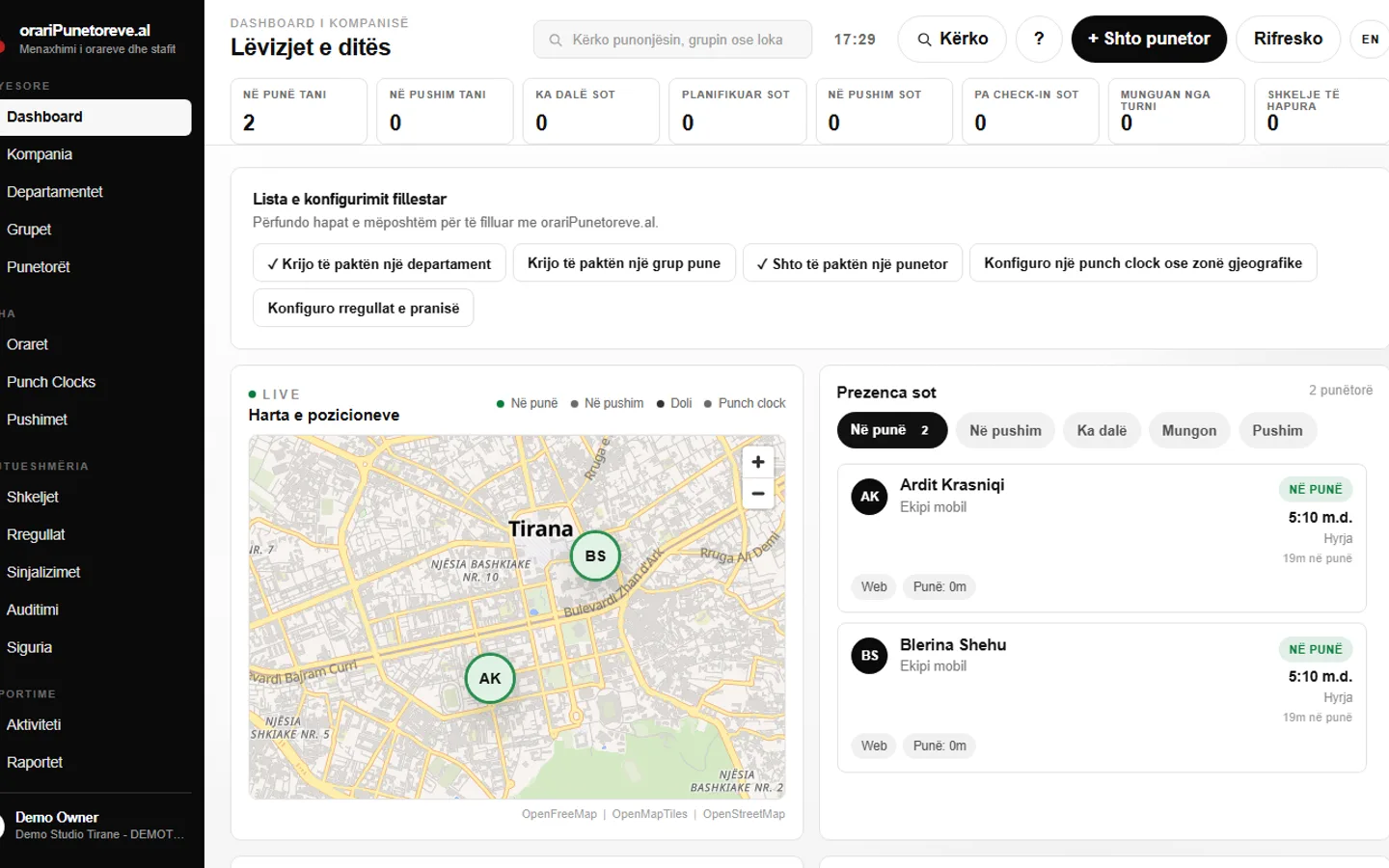
The reality today
What goes wrong without a system
Rosters on paper or in Excel
A shift change gets printed, copied, or re-sent by hand yet again. Who has the latest version? Nobody's quite sure.
Shift changes over WhatsApp
"Who's covering tomorrow?" gets lost in a group chat with 40 messages. The manager finds out about the no-show after the shift has already started.
Hours tallied by hand
Month-end means adding up every clock-in and clock-out one row at a time, checking for lateness, and hoping nothing got missed.
Arguments over who was late
"I got here on time." Without an exact recorded time, every lateness discussion turns into one person's word against another's.
How it works
Six things orariPunetoreve.al does every day
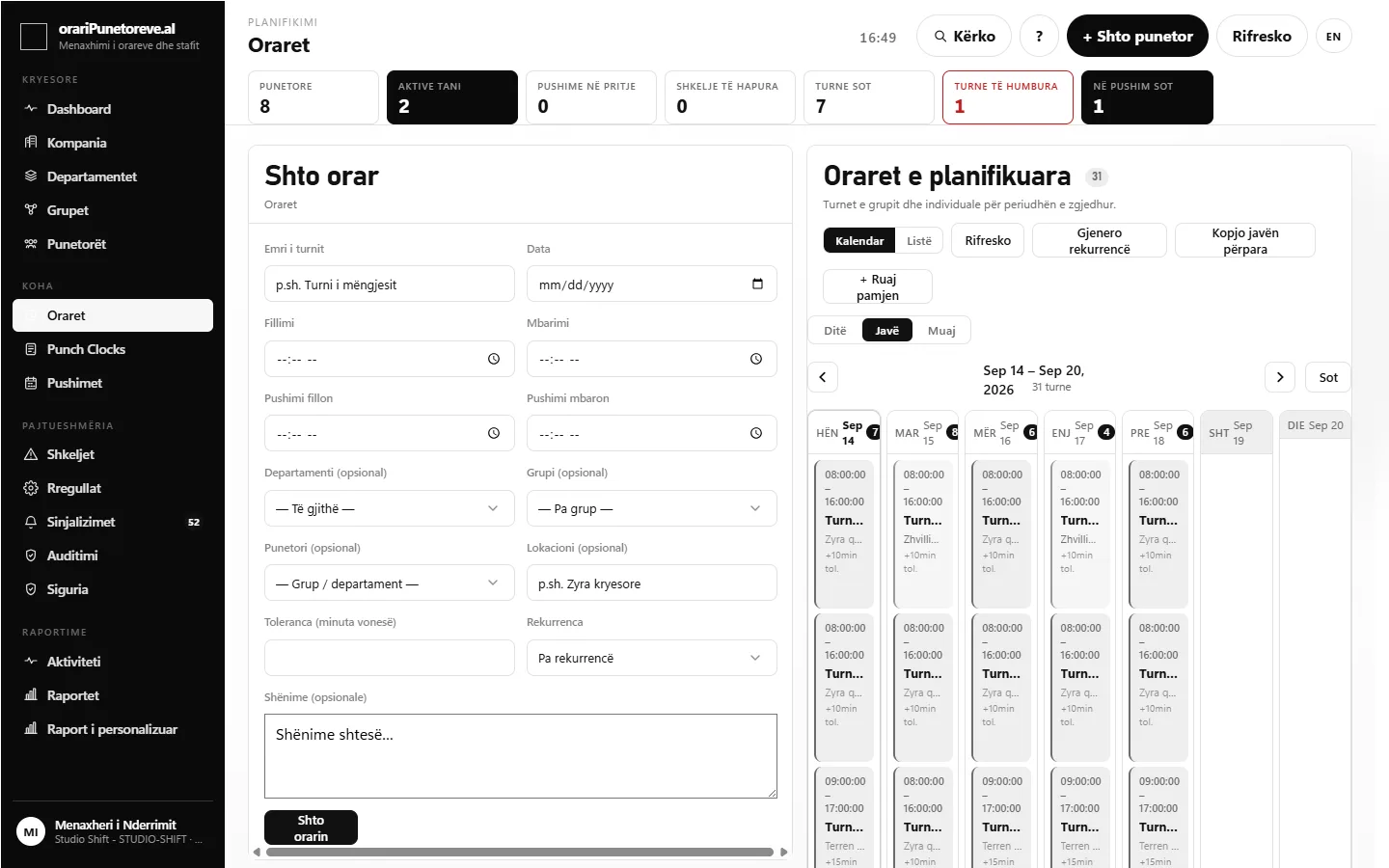
Schedules and shifts
Build the roster once — not from scratch every week.
Assign shifts by worker, work group or department, with a grace period and breaks built in. Save a week as a template and apply it to any other period, or copy the current week forward without recreating every shift by hand.
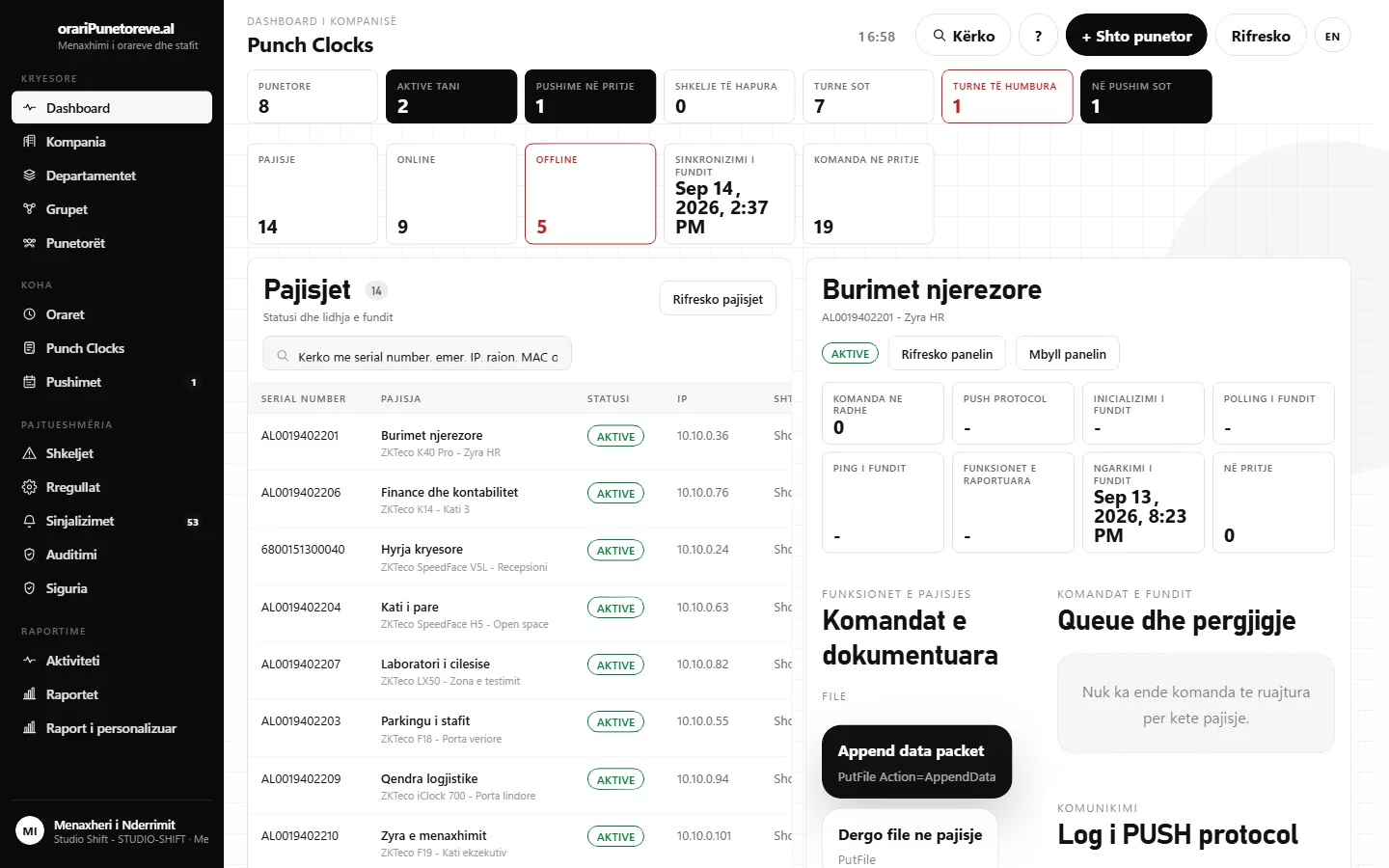
Attendance and punch clock
Clock-in and clock-out record themselves — from a phone, the web, or a punch clock device.
Workers clock in and out from the mobile app, an existing punch clock device (ZKTeco), or the web with a photo and location. The dashboard shows in real time who's working, who's on break and who's missing.
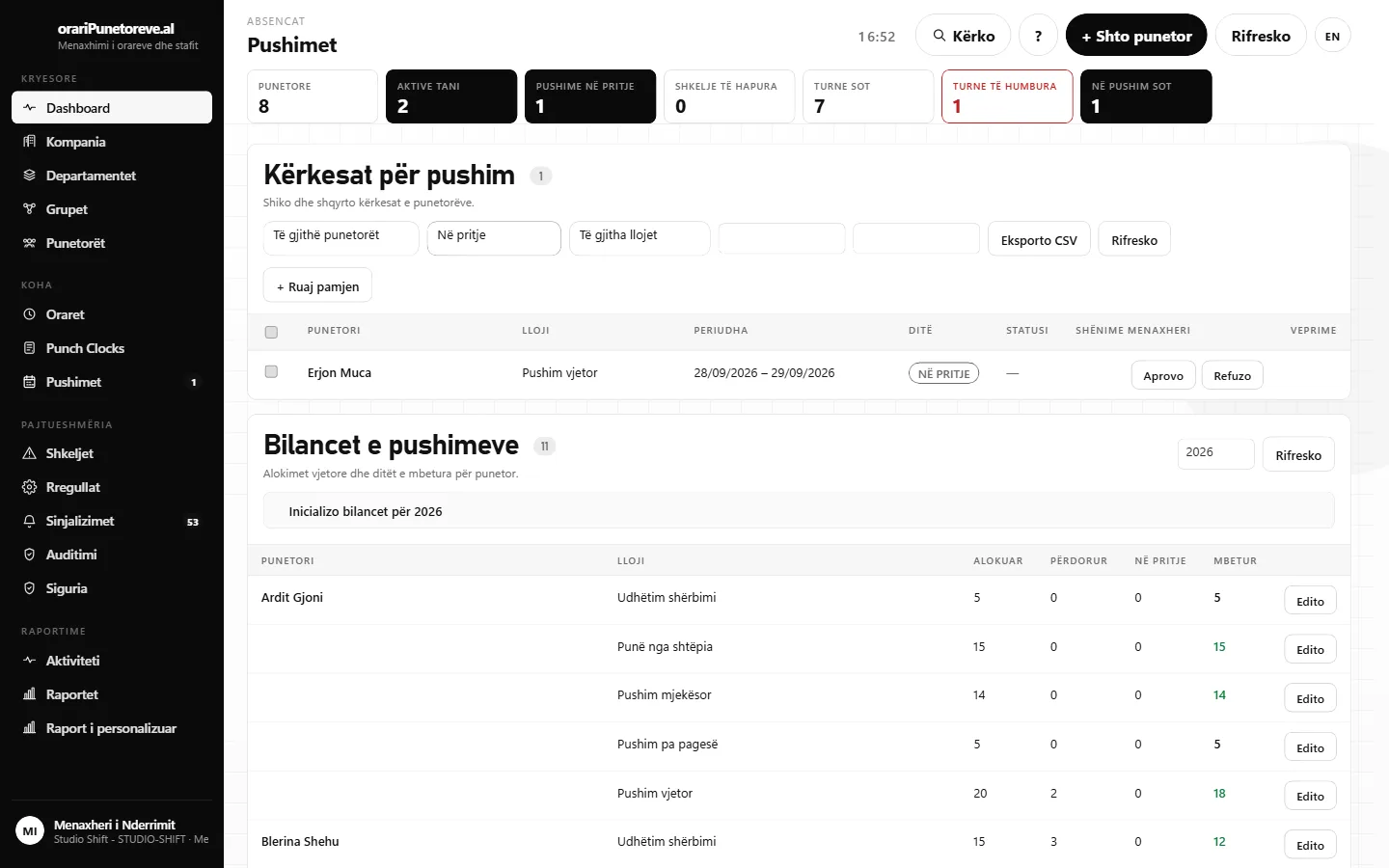
Leave
Approve a leave request in 2 clicks, not after a chat thread.
The worker submits the request from their own app; the manager sees the remaining balance and any teammates already off the same dates, then approves. Pending requests can be approved in bulk, not one at a time.
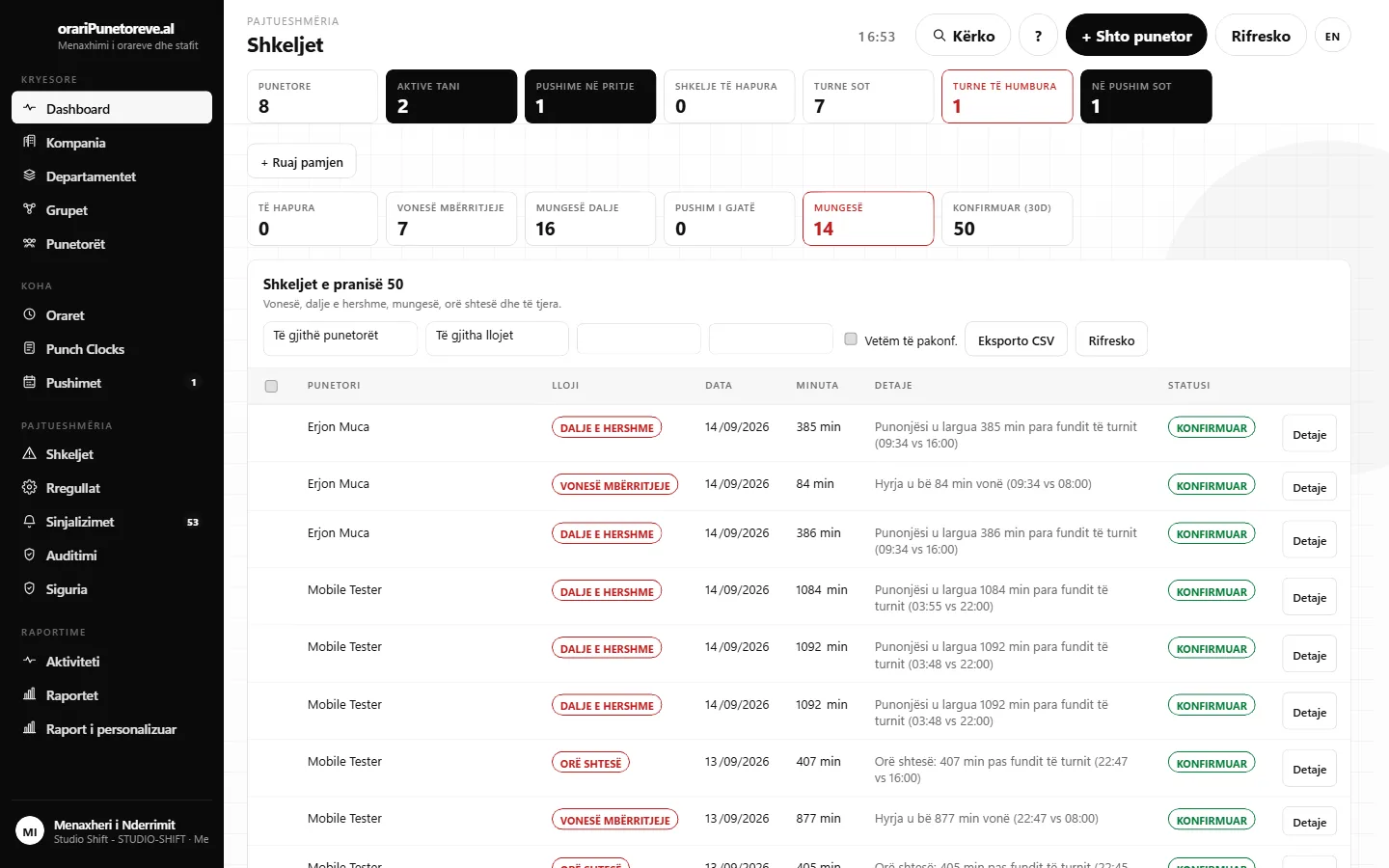
Violations and rules
Lateness, absences and overtime get flagged automatically, by rules you set.
Configure the grace period, the overtime threshold and the maximum break — company-wide or per department. Every work session is checked against the rule, and a violation is only raised when it's genuinely breached.
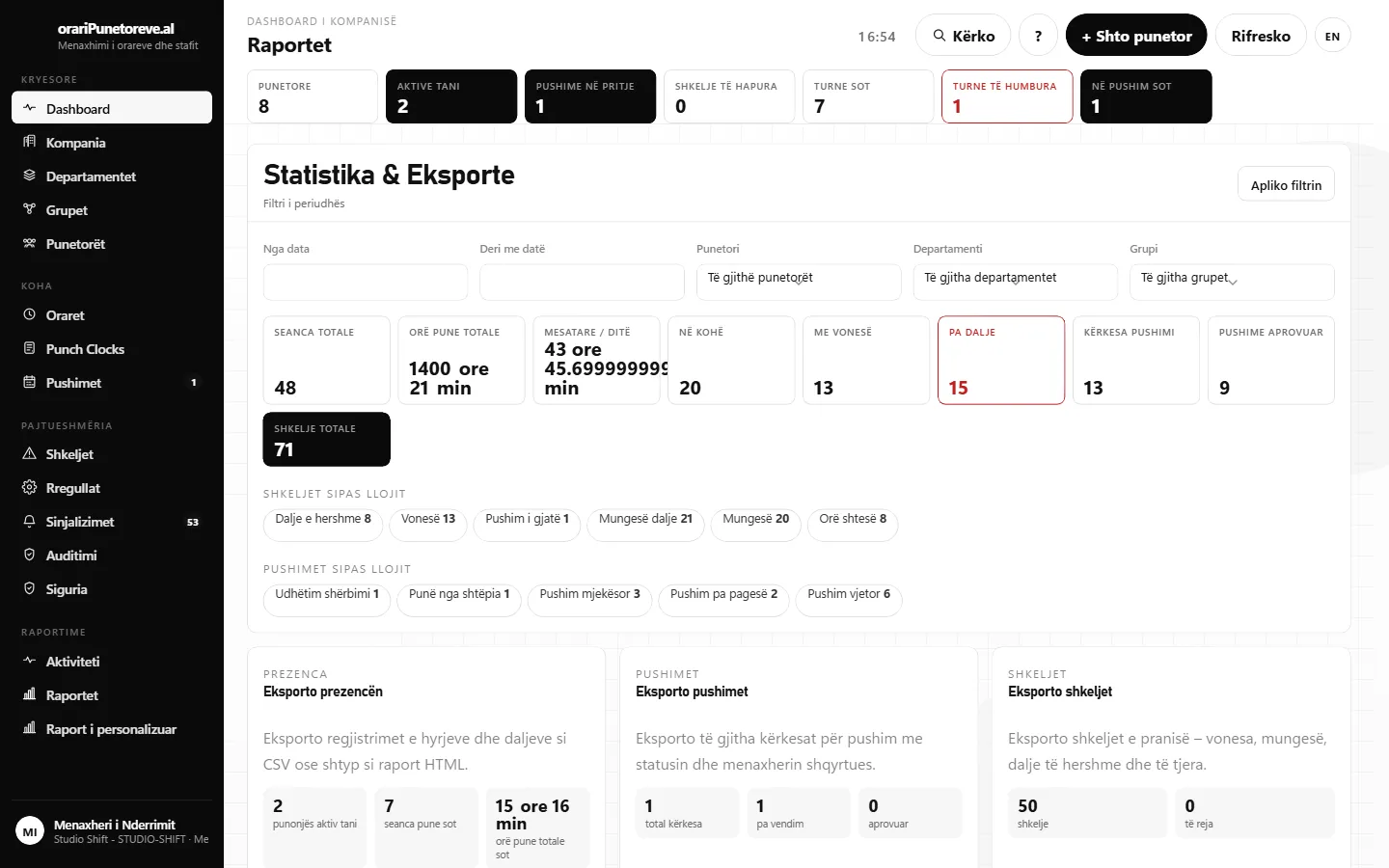
Reports and payroll
Export payroll in one click, not a week of tallying.
An automatic summary per worker: total hours, overtime, lateness, absences and leave days for the chosen period — ready for the accountant, as CSV, Excel or PDF. A warning appears before export if any session is missing a checkout or carries an unconfirmed violation.
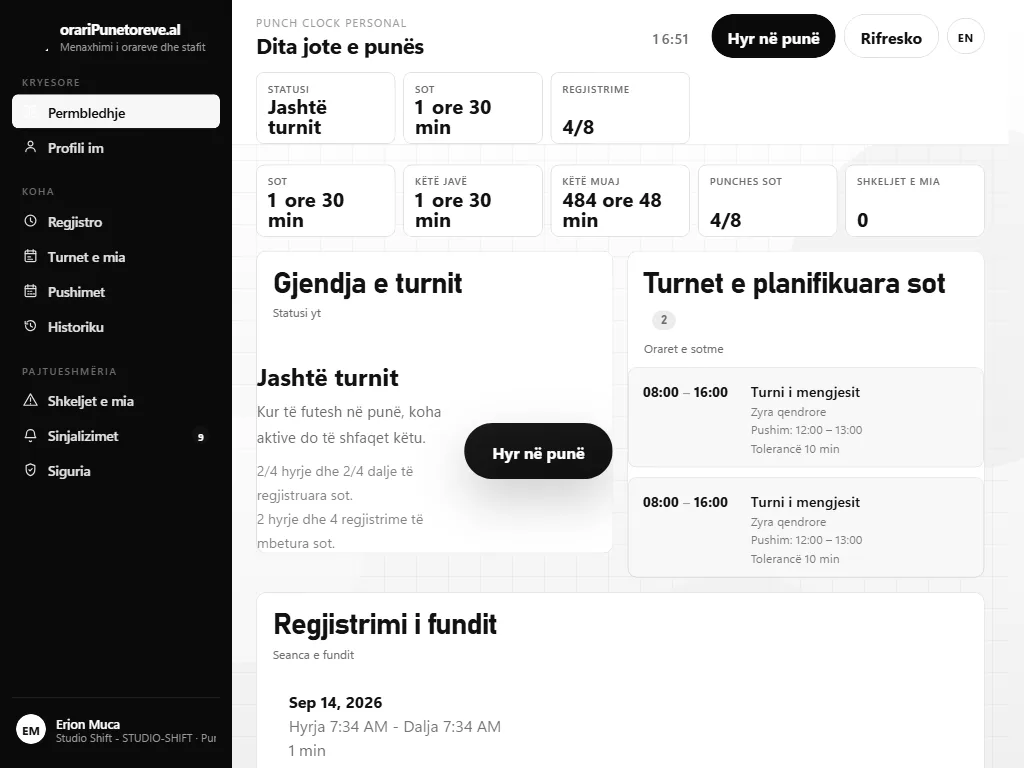
Worker portal
Every worker sees their own schedule, hours and leave — without asking the manager.
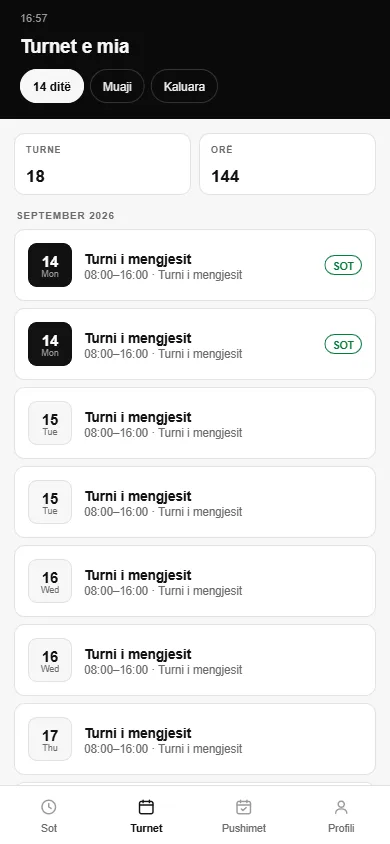
From their own phone, a worker clocks in, sees the next shift, requests leave and checks their balance — even offline. Records are saved and synced automatically once the connection returns.
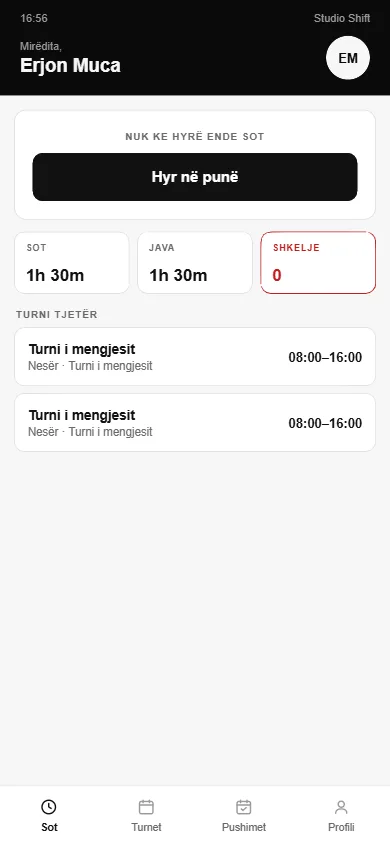
The worker app
Everything a worker needs, in their pocket
The mobile app does exactly what a worker needs — nothing more.
Clocks in and out with one tap, even offline.
Sees today's and tomorrow's shift without asking the manager.
Requests leave and checks their own balance, right from the phone.
Coming soon to the App Store and Google Play.
Pricing
Priced per worker, per month
No long contracts, no setup fee.
For a single team that just needs scheduling and attendance.
- Schedules and shifts (weekly/monthly calendar)
- Attendance from web or the mobile app
- Up to 1 department
- CSV exports
- Email support
For businesses with multiple departments that need leave and violations.
- Everything in Basic
- Leave requests and balances
- Violations and attendance rules
- Real-time alerts
- Unlimited departments and work groups
- PDF and Excel exports
For chains with multiple locations and an existing punch clock.
- Everything in Standard
- Punch clock device integration (ZKTeco)
- Geofencing and IP allowlist
- Custom report builder
- Full audit log
- Full role set (HR, Team Lead, etc.)
14 days free, no credit card. Full access during the trial — nothing is limited. After 14 days, pick a plan to continue, or the account switches to read-only automatically — your data isn't deleted.
FAQ
Questions Albanian employers actually ask
Where is my company's data stored?
Your company's data lives in a dedicated database, accessible only with your account and the staff accounts you authorize. We never share data between companies.
What happens if we leave the service?
You can export any data (workers, attendance, leave, reports) as CSV/Excel at any time from the dashboard itself. On request, we delete your company's data within the legal retention limits.
Does it work offline?
The worker mobile app records clock-in/out even without a connection and syncs automatically once it returns. The manager dashboard requires internet.
Does every worker need a smartphone?
No. Workers can clock in and out at a physical punch clock device at the entrance, with no personal phone required.
We already have a punch clock device — can we use it?
Yes, if it speaks the ZKTeco protocol (most biometric/card devices sold in Albania do). It connects to the existing system, no hardware swap needed.
How long does initial setup take?
Usually under an hour: create the company, add your first departments and workers, schedule the first shift. A checklist walks you through it step by step and shows what's left.
Can I send the export straight to my accountant?
Yes. The payroll report exports as CSV or Excel, with total hours, overtime, lateness, absences and leave days per worker — ready to send or import.
How is overtime handled under Albanian labor law?
You set the overtime threshold (e.g. over 40 hours/week or over 8 hours/day) to match your company policy; the system detects and reports it automatically — the pay rate decision stays with you and your accountant.
Does staff need training?
Managers learn the dashboard in one 30-minute demo session. Workers only need to know how to tap one button to clock in — the rest of the mobile app is optional.
Does it cover multiple locations or stores?
Yes. Departments and work groups can represent different locations, each with its own schedule, geofence and rules — all under one company account.